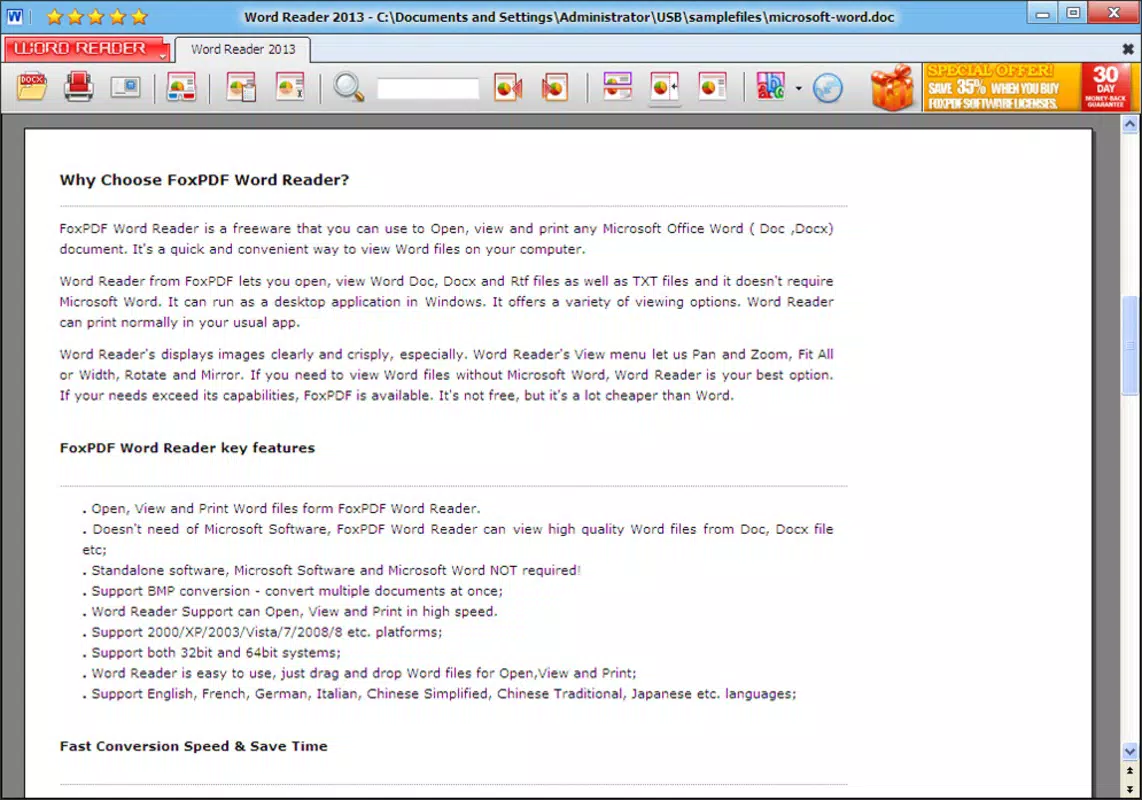

Download FoxPDF Word Reader – PDF, DOC, DOCX, RTF, TXT Viewer
Overview
FoxPDF Word Reader is a dedicated mobile utility designed to open, view, and print Microsoft Word documents directly on smartphones and tablets. It supports a broad range of file formats, including DOC, DOCX, RTF, and TXT, enabling users to access essential documents without relying on Microsoft Office installations. This makes it an ideal tool for professionals, students, and individuals who frequently handle Word-based files but do not have access to full office suites. The app addresses the common challenge of document inaccessibility on mobile devices, offering a lightweight, standalone solution for viewing content accurately and securely. By preserving document formatting and layout, FoxPDF Word Reader ensures that users see files exactly as intended by the original creator. This is particularly valuable in academic, legal, and business environments where document integrity is critical. The app is especially useful for those who need to review contracts, reports, or assignments on the go, without the need for desktop software. Although the developer did not provide additional technical details, the app’s focus on format compatibility and stability suggests a targeted approach to solving real-world document access issues. Its presence in the mobile productivity ecosystem highlights the growing demand for efficient, secure, and independent document viewers.Key Features & Functionality
- Multiple Format Support: FoxPDF Word Reader enables users to open and view DOC, DOCX, RTF, and TXT files directly from their device’s storage or cloud services. This broad compatibility eliminates the need for additional converters or software, streamlining document access across different platforms.
- Quality Preservation: Documents are rendered in their original layout and formatting, ensuring no loss of clarity, font consistency, or image alignment. This feature is essential for users who must maintain the authenticity of official or sensitive documents.
- Fast Document Loading: The app is optimized for quick file opening, reducing wait times even with large or complex documents. This efficiency enhances productivity, especially in time-sensitive scenarios such as meetings or urgent assignments.
- Print Functionality: Users can print documents directly from the app using compatible printers. The print settings mirror those found in Microsoft Word, allowing for custom page ranges, orientation, and scaling options.
- User-Friendly Interface: The layout is clean and intuitive, with straightforward navigation that allows users to browse files, zoom in/out, and switch between pages effortlessly. This accessibility makes the app suitable for both beginners and experienced users.
Interface, UX & Performance
FoxPDF Word Reader features a minimalist interface focused on usability and clarity. The layout emphasizes document visibility, with a central viewing area flanked by simple navigation controls such as page indicators, zoom buttons, and a file list. The visual style is clean and functional, avoiding unnecessary animations or clutter that could distract from the content. Navigation is linear and predictable, allowing users to open files from folders, search by name, and switch between documents with minimal taps. The app responds quickly to user inputs, maintaining smooth scrolling and instant zoom adjustments. Although the developer did not list formal performance metrics, the app’s design suggests optimization for a range of device categories, from entry-level smartphones to high-end tablets. Responsiveness remains consistent across different screen sizes, and the interface adapts fluidly to both portrait and landscape orientations. Stability appears to be a priority, with no reported issues related to crashes or data corruption. The app operates efficiently in the background, conserving battery and memory usage. Users can expect a reliable experience when accessing documents on the move, whether in transit or during remote work sessions.Platform Compatibility & Technical Requirements
FoxPDF Word Reader is available for Android devices. The app is designed to run on modern Android operating systems, though specific version requirements were not listed. The file size is approximately 12.5 MB, making it a lightweight download suitable for devices with limited storage. Users can install the app directly from official app stores or via APK files, provided they enable installation from unknown sources. The developer did not specify minimum OS requirements, nor did they provide information on device compatibility beyond the platform. As such, users are advised to check their device’s compatibility before installation. No additional hardware or permissions were mentioned in the provided information. The app is optimized for mobile screens and does not require external peripherals for core functionality.Pros and Cons
- Supports multiple Word document formats without external software
- Preserves original formatting and layout of documents
- Fast loading and smooth navigation
- Includes built-in print functionality
- Intuitive interface suitable for all user levels
- Lightweight file size for easy installation
- Compatibility details not fully disclosed
- No mention of cloud integration or file sharing features
- Version and update frequency not specified
- Developer information not provided beyond the app name
- Performance on older devices not confirmed


